
My first full-on encounter with a smart home happened a few months ago, when an old friend invited me over. We hadn’t seen each other in a while, and I had just mentioned that I’d started a blog about emerging technologies — he smiled and said: “Then you’ll definitely like my house. Come on — let me show you what a real smart home looks like from the inside.”
This wasn’t just a house with a few smart bulbs. He had built it from the ground up — and right from the start, he knew he wanted a fully automated system: lighting, climate control, security, energy management, audio, appliances. And the key was — it wasn’t patched onto an existing space, it was integrated from the planning stage.
Naturally, I started asking questions — how did he plan all this? And he was candid about it.
🔧 First off — planning. You can’t just “add a smart system” after the house is built — it’s incredibly hard. He hired an architect who had experience with this kind of project. Together, they mapped out spaces for motion sensors, thermostats, control hubs, and laid dedicated wiring channels for the smart systems right from the beginning.
💰 Second — budget. The design alone, accounting for cabinet niches, cable routing, and ventilation, cost about CAD $3,000–$5,000 depending on how detailed you want to go. Installation of smart systems (lighting, thermostats, control modules) added another $7,000–$10,000 CAD — and that’s not luxury-tier, just solid tech like Google Nest, Philips Hue, and Aqara. You can go cheaper, sure — but don’t cut corners on the foundation.
🛠️ Third — the team. If you’re building from scratch, find an electrician who’s already worked with smart home setups — otherwise, you’ll end up with a tangle of adapters and missing cables. In his case, they designed custom insets for the smart coffee machine, a Wi-Fi-enabled range hood, even hidden charging docks inside the closet. It looked like a showroom — but functioned like a dream.
🏡 And fourth — lived experience. After a few months of living there, he realized the goal isn’t to “automate everything.” The goal is convenience. Like turning on lights based on presence, not timers. Or having the temperature in your bedroom adjust before you even get home.
That conversation stuck with me. For the first time, I understood that a smart home isn’t just a pile of gadgets. It’s a project that starts way before the first brick is laid. And if you plan it right — you don’t just get a house. You get a quiet assistant who adapts to your life without you even noticing.
I was captivated. We sipped coffee on the terrace, discussed various setups, and I kept mentally jotting down notes: “Gotta include this in the blog… and this… and definitely this.”
Jokingly, I said:
— You know, I’d love to stay here for a few days. Really see what it’s like when your house just… understands you.
He just grinned.
— I’m actually leaving for a business trip next week. The house already knows what to do — and I’d feel better if someone’s around. Stay here, test everything out. Then tell me what works and what’s just marketing fluff.
And just like that, I found myself about to spend a full week living in a house that, quite honestly, seemed to understand people better than some people do. And I’ll tell you — it wasn’t just an experiment. It was a new way of living, where technology doesn’t get in the way, but quietly makes every day smoother, warmer, and a little more human.

Before he left, he showed me the app he uses to control everything. He had it synced with Google Home, SmartThings, and Home Assistant (yeah, he’s a bit of a smart home nerd 😄).
— I’ll add you as a guest user, — he said. — You’ll be able to adjust temperature, play music, trigger routines — but no access to the cameras or security settings.
A notification popped up on my phone from Google Home — and a few taps later, I had my own “guest profile” with limited but useful access to the system.
💡 By the way: most modern systems — Google Nest, Amazon Alexa, Apple Home — allow you to grant guest or family access with different permission levels. For example, guests can control the lights or thermostat but won’t see video history or be able to change automation rules.
This is especially convenient for people renting out properties on Airbnb or other platforms:
no need for in-person key exchanges
you can grant access for specific dates only
and remove access automatically when guests check out
📲 All of it can be set up in just a few taps — secure, simple, and hassle-free.
🏡 Day 1: A New Home, A New State of Mind
Left alone in the house, I felt — just for a moment — like the main character in some sci-fi movie. My first instinct, of course, was to try everything at once: voice commands, smart lighting, automatic curtains, the thermostat, even the app-controlled coffee machine. But reason kicked in — I wasn’t here as a tourist, but as a tech blogger. I needed to experience it all slowly, intentionally. So I grabbed my laptop, opened a new note — and started small.
The house itself is big, but cozy. Two floors, with breathing space — nothing excessive, everything intentional. The main room is an open-concept living area with a fireplace, overlooked by an indoor balcony from the second floor. In the evening, as daylight fades, the lights gently shift from a daylight tone to something warmer — all thanks to automation that doesn’t just follow the time, but also tracks the natural light streaming through the windows.
The kitchen deserves its own chapter. Cabinets are fully built-in with push-to-open mechanisms — so sleek, I spent several minutes just figuring out how to access the dishware. The central island is both practical and beautifully integrated into the space. Every appliance — from the microwave to the exhaust hood — is connected to the central smart system. You can schedule cooking, or turn everything off with a single tap when leaving.
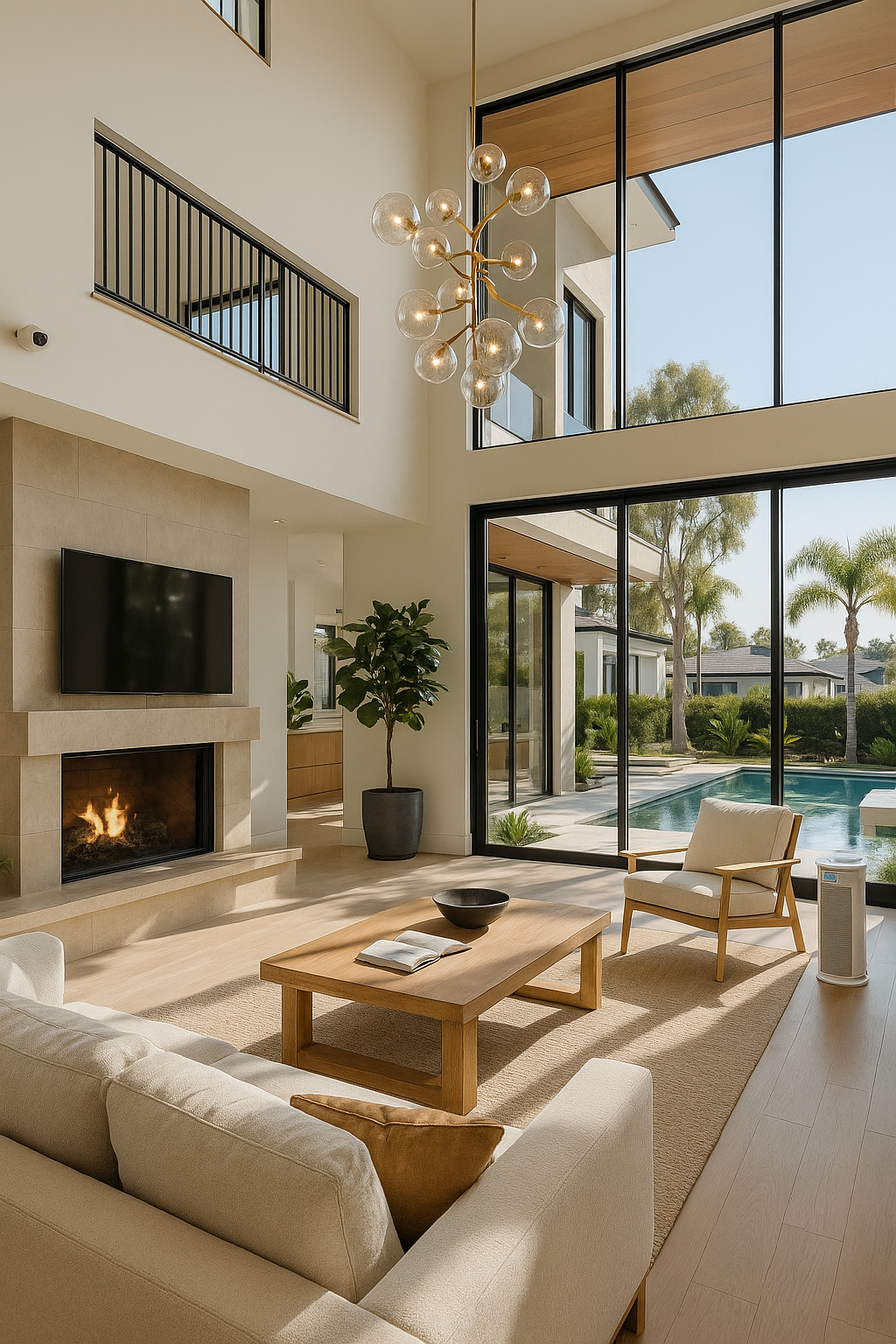
Outside, there’s a terrace with a lounge zone, and a modest pool where, as my friend told me, lights automatically turn on in the evening, along with self-cleaning. Even that is part of a smart scenario: if rain is forecast, the water heater shuts off to save energy.
📓 Even in those first few hours, I realized — this house isn’t just comfortable. It feels alive, quietly reacting to your needs. And the more I explored, the more questions and blog ideas filled my head:
how is all this configured?
which routines do people use the most?
how much does it really cost?
But one step at a time. Day one ended… with a notebook in my hand and impressions I couldn’t yet put into words.
🔜 The next morning, I decided to test the wake-up routine — let’s see how the house performs when your brain’s still asleep and all your body wants is coffee.
🌅 Day 2: A Morning That Starts Itself
I didn’t wake up to an alarm. I woke up… to light.
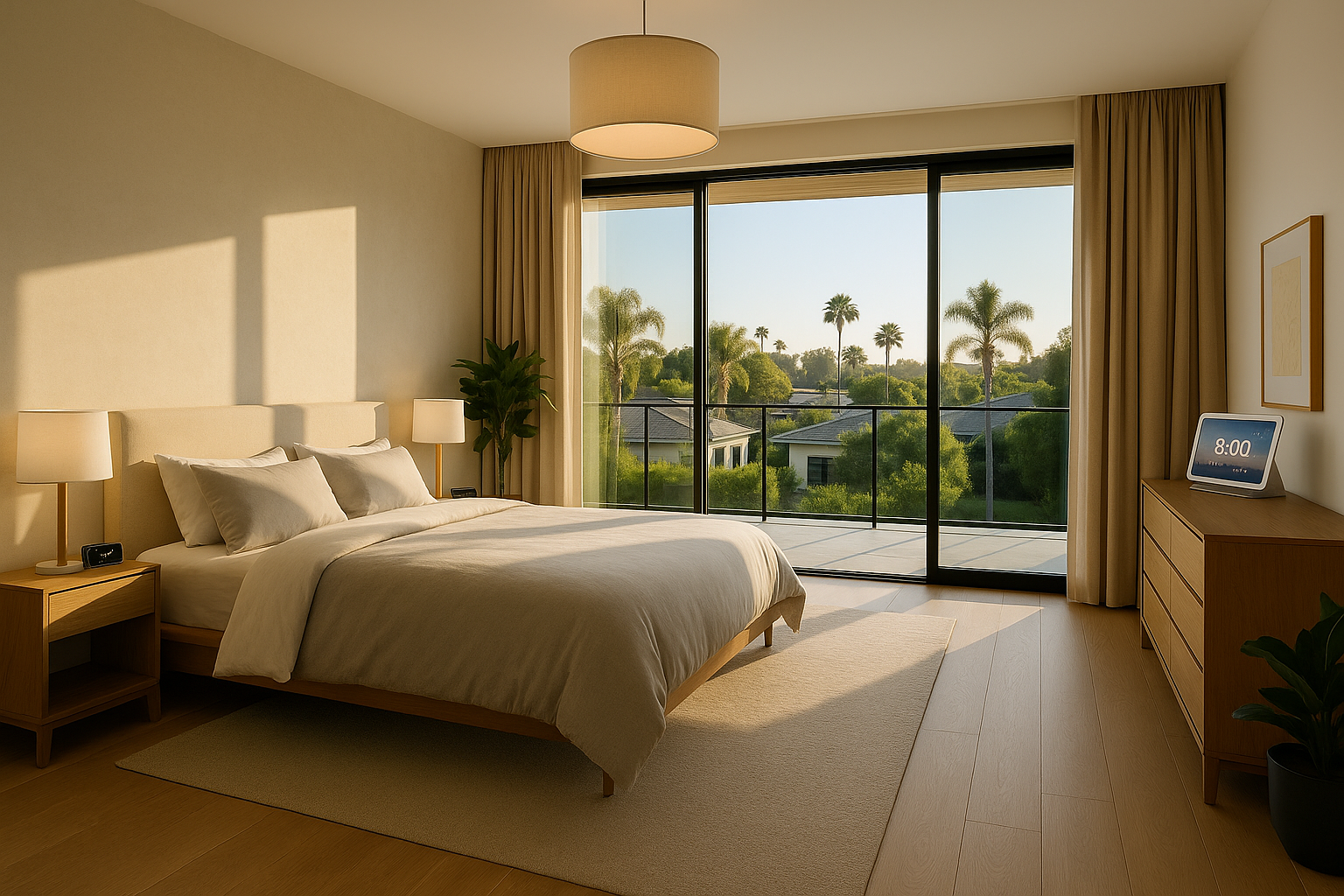
At first, I thought I’d forgotten to turn off a lamp. But no — the room’s lighting was gradually simulating sunrise, shifting gently from soft orange to a brighter daytime hue. It didn’t feel annoying at all — in fact, it made opening my eyes calm and almost pleasant. The system adjusts to your local sunrise time and “wakes” you up with natural light.
🛏 All of this was set up through Google Nest Hub, which also read me a short morning digest:
• weather update
• headline news
• my schedule (even though I had nothing planned here — it synced with my Google Calendar)
• home security status (all calm).
🪟 Curtains slid open automatically, letting in fresh air and daylight. I was still lying in bed, but the coffee machine in the kitchen was already preparing my Americano. It’s one of those small but delightful moments where technology makes you smile.
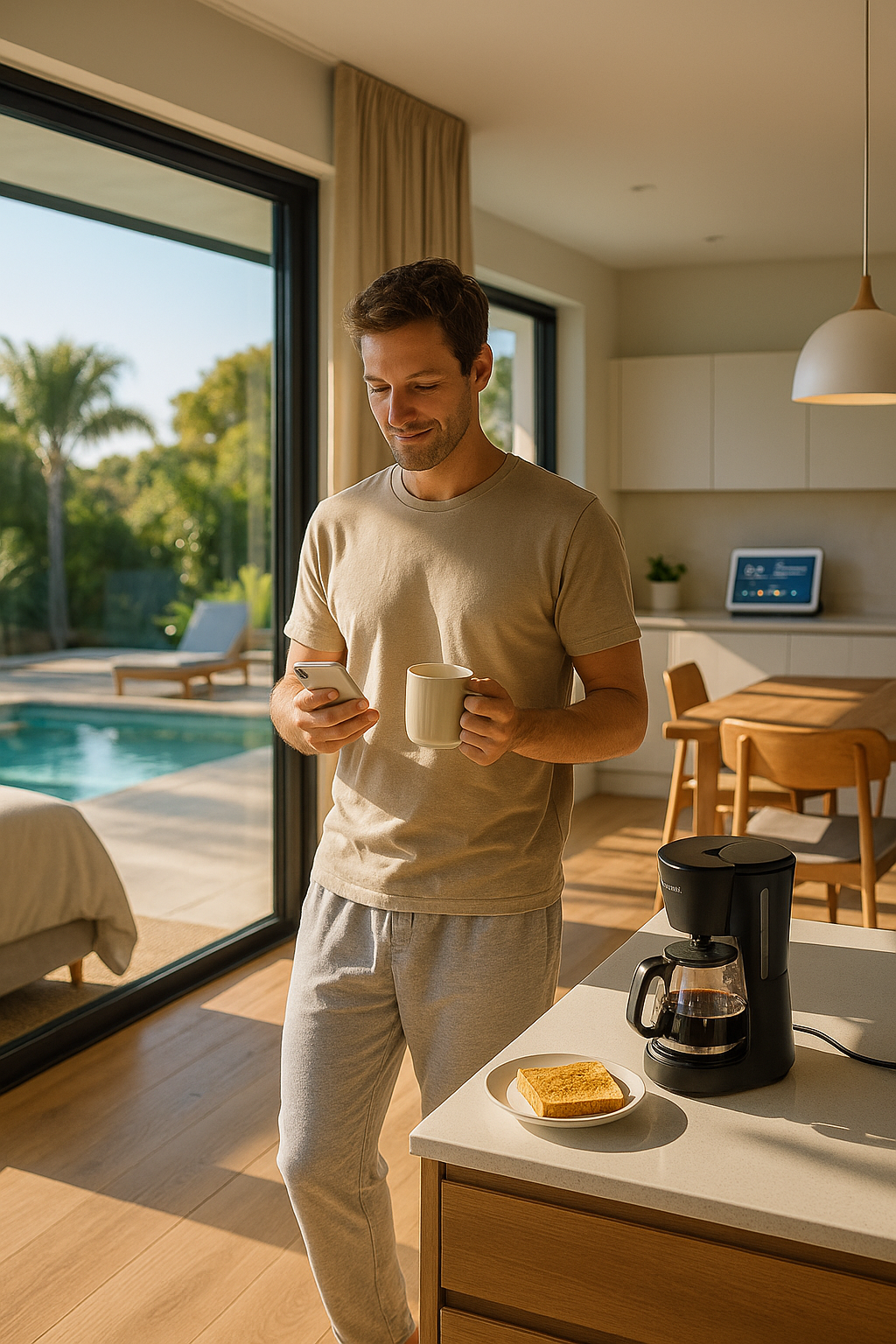
🪑 I stepped into the kitchen — still not fully awake, but the house had already taken care of the “hosting.”
The night before, I had left a slice of bread in the toaster — and now the air was filled with the smell of warm toast. The coffee was hot and freshly brewed, already waiting in the cup I’d placed under the machine the evening before. Above the island, the light was soft and dimmed — easy on the eyes. The curtains facing the terrace had already opened a few minutes ago, letting in the morning sun.
Sure, the system can’t make breakfast for you — but it’s like having a thoughtful assistant who gets everything ready ahead of time.
It’s strangely comforting — like the house is gently saying: “Good morning. Everything’s ready for you.”
🎶 In the background, a mellow playlist was playing from YouTube Music — it seems to change daily based on mood. Since I listened to chill-hop last night before bed, I’m guessing the algorithm picked up on that vibe.
📱 I opened the app on my phone — everything is intuitive, even if you’re new. You can manually disable anything or adjust settings from the couch.
🔎 What I realized this morning:
A smart home isn’t just “cool.” It genuinely frees up your attention.
You’re not constantly thinking about little things: “Where are my keys?”, “Did I turn the lights off?”, “Will I be late for work?”
It’s all taken care of.
And that’s not a luxury — it’s a conscious decision to automate the small stuff that eats up your time every day.
📝 Tonight, I plan to try out manual controls — to see what other “hidden tricks” this house has programmed in.
🧠 Day 3: Comfort That Just Happens
By day three, I no longer felt like a guest — more like a cohabitant. I was allowed to stay a few more days, and I caught myself thinking: with each hour, the house felt more and more in sync with me. Or maybe the other way around — I was syncing with it. And somehow, that felt incredibly natural.
The morning routine was already second nature: coffee, toast, curtains — the usual suspects. But today, I started noticing the little things I’d overlooked. Like the slim vent near the kitchen baseboard — a built-in vacuum. It activated automatically when I accidentally scattered a few crumbs. No need to grab anything — just a swipe near the sensor with my foot, and it whirred to life. Quiet. Precise. Strangely… homey.
🌀 An air purifier near the entrance to the living room was also humming quietly in the background. I glanced at the Nest Hub and saw a message: the air quality had dropped slightly. The system had already kicked into intensive filtration mode. That kind of subtle automation is especially valuable when someone in the household has allergies — and in this home, it felt like everything had been anticipated.
💧 In the kitchen, I tested the integrated filtered water system — complete with mineralization options. Tap water here is drinkable straight from the faucet — no plastic bottles, no countertop pitchers. My friend had told me that he and his designer spent nearly six months planning the plumbing layout to include this feature. It showed.
🌊 Around midday, I stepped out to the terrace. The sun was strong, but I noticed the pool had already started its self-cleaning cycle. The system factored in UV levels, water temperature, and time of day — all to keep it crystal clear. Later that evening, when a light breeze picked up, I simply opened the app and tapped one button. A transparent pool cover slid over the surface — retaining warmth, keeping leaves out, and making me quietly envious of whoever gets to live here full-time.
📸 One more thing I hadn’t noticed until now: the security cameras weren’t just watching — they were acting. If someone approaches the door, the Nest Doorbell doesn’t just send a notification; it takes a photo, turns on the porch light, and plays a polite voice message. And at night, the entire system goes into “silent mode” — no blinking lights, no distractions. It fades into the background, but everything is still under control.
📔 That night, I opened my notes app not just to jot down specs or technical thoughts, but… emotions. This house doesn’t just function — it soothes you. It makes the mundane feel effortless, and the everyday feel just a bit more thoughtful. With each day, I was discovering new layers.
🔜 The next morning, I planned to explore how all these devices actually coordinate — is it seamless or clunky? Do the automations make sense? I also wanted to try out some preset scenarios like “leaving home” and “evening unwind.” Let’s see what else this house is capable of.
🌇 Day 4: When You’re the Director of Your Own Space
By the fourth day, I didn’t feel like a guest anymore — I felt like the operator of this smart home. My fingers instinctively reached for the phone — not to turn things on or off, but to experiment. Turns out, default scenes like “Wake Up,” “Evening Mode,” or “Away” are just the surface. The real magic happens when you create your own.
📲 I opened the Google Home app and built my own routine:
🕯 At 7:00 PM — warm, dimmed lights in the living room
🎶 “Evening Focus” playlist
🪔 Aromadiffuser with lavender for 30 minutes
🚪 Curtains closed automatically
🌡 Thermostat lowered by 2°C
I called it “Focus Mode.” And just seconds later — the entire space transformed to match my state of mind. With no extra effort. It felt… emotional, almost. Like the house got me.
💡 I used to think “smart home” meant something technical. But now I see — it’s about atmosphere. A feeling. It’s mood automation that feels uniquely personal. One tap, and your home becomes a lounge, an office, a cinema, a retreat.
🪟 Another little detail: when I stepped out to the terrace, the music inside faded and the outdoor speakers came on automatically. Tiny thing, but it made me grin. I hadn’t even noticed those speakers before — hidden neatly above the lounge zone. No fuss, no noise — just music following you outdoors.
🍽 I cooked lunch myself today (yes, I did 😄) — a simple veggie pesto pasta. Nothing fancy, but with smart kitchen help, the whole process felt seamless.
First, I said:
“Okay Google, kitchen mode” — and immediately:
The island lighting turned brighter
Ambient ceiling lights gradually came on
The range hood activated as the stovetop heated up
The induction stove only powered on when it detected cookware
🥦 The fridge? It has a built-in camera. I checked what was inside from my phone — super handy when you’re unsure if you’ve got basil or parmesan.
🫙 I set the pasta timer by voice:
“Timer, 10 minutes on pot.” Exactly ten minutes later, the speaker reminded me, and the stove reduced its power automatically.
💧 Water came from the tap — but not just any tap. This one had integrated filtering, with adjustable temperature and mineralization levels. I chose medium for cooking, high for drinking. The taste? Like premium bottled water — but no bottles needed.
📺 While I cooked, the Nest Hub showed a YouTube recipe guide. No greasy fingers on the screen — I just said, “Next step,” “Go back,” or “Pause,” and it responded instantly.
🍴 When lunch was ready, I said:
“Okay Google, dining mode” — and the lighting softened, the extractor fan switched off, the music stopped, and the terrace curtains slightly opened, letting in soft afternoon sun. The whole room shifted — it felt like a restaurant.
🔎 Takeaway for the blog:
I’m not a chef, and I don’t live for cooking. But with a setup like this — I want to cook. It’s not about laziness. It’s about removing friction. Everything is tailored to you, supporting each step you make — like the house is quietly whispering: “I’ve got you.”
📌 In my notes, I wrote:
“A smart home is when you forget you’re just visiting. Because it adapts to you faster than you can say a word.”
🎬 Day 5: A Comfort You Won’t Want to Give Back
Today, I decided to dedicate the day… to myself. No notes, no Google, no analysis. Just — a day in a smart home, as if it were my own. And honestly? It was dangerously comfortable.
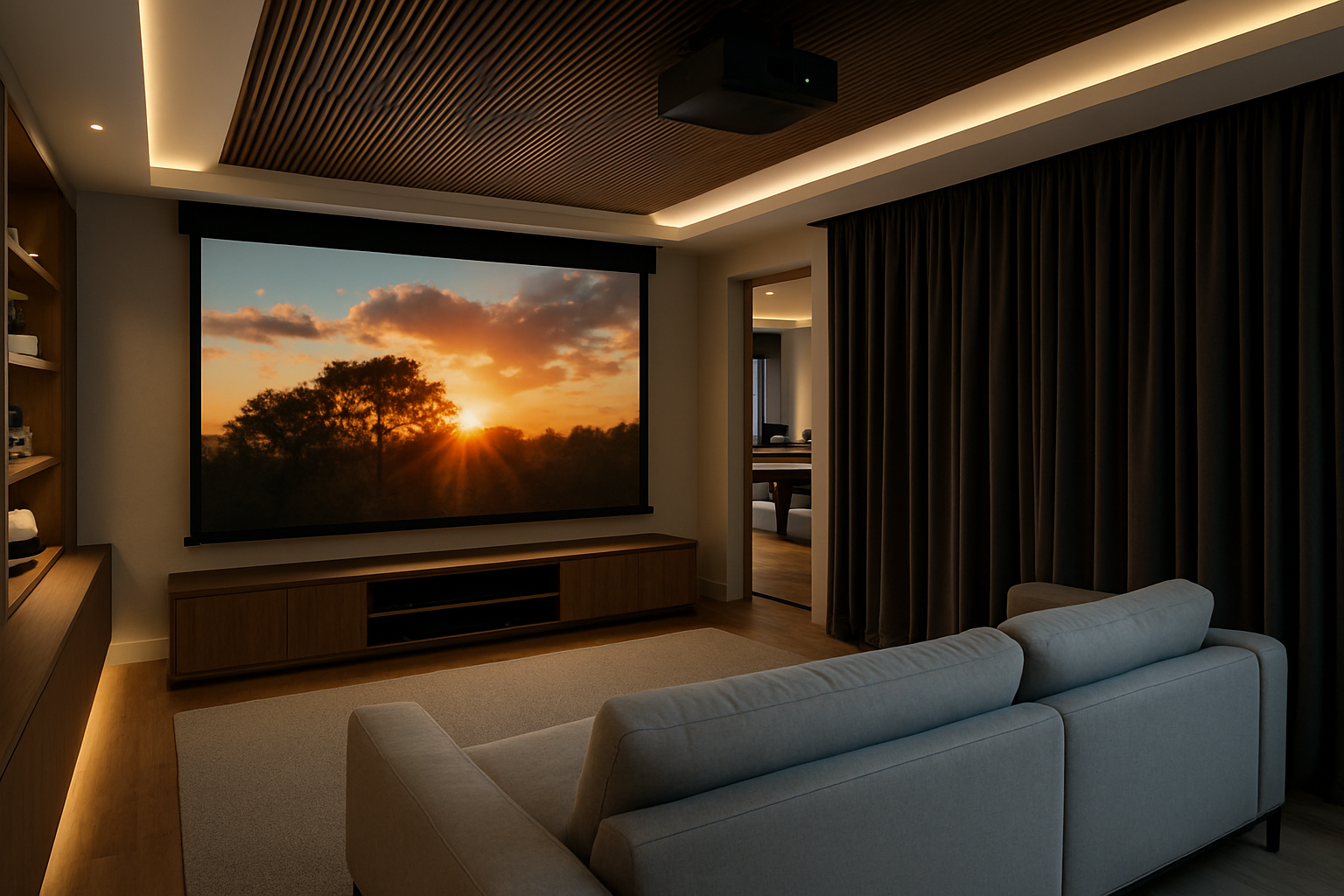
📽 First stop — the home theater. And no, this isn’t just a giant TV on the wall. This is the real deal: a full projector setup, Dolby Atmos sound system, and blackout curtains that close automatically the moment the movie starts. I launched the film via the app, never had to get off the couch — everything was synced through Google Home.
🎮 After the movie, I wandered into the gaming room. Latest-gen consoles, ergonomic chairs, VR headset, and a layout that makes you feel like you’re in a pro gamer’s studio. The walls dampen sound, lighting adjusts to “game mode,” and even the air felt sharper and fresher, thanks to a dedicated filtration system.
🏖 After the excitement, I moved outside for a bit of sun and silence. I lay down on a lounge chair on the terrace. The pool was already crystal clear — the auto-filtration system had done its job earlier in the day. A light breeze picked up — I tapped a button, and the pool cover slid into place, smoothly and quietly.
🔥 For a moment, I imagined having friends over — firing up the grill, cracking open cold drinks, playing music through the outdoor speakers (cleverly built into the fence posts)… But then I remembered — this isn’t my house. And even though I’ve been lucky enough to live here for a week, it still feels — a little like someone else’s dream.
And you know what, friends? I really wish I could invite you here. Because I’m almost certain — you’d love it. Maybe even more than I do.
Then again… I’m not sure that’s possible 😄
🔎 In this house, every day feels like a little adventure. And yet — everything is under control. It’s a paradox, but true: the more automation, the more space you have… to simply live.
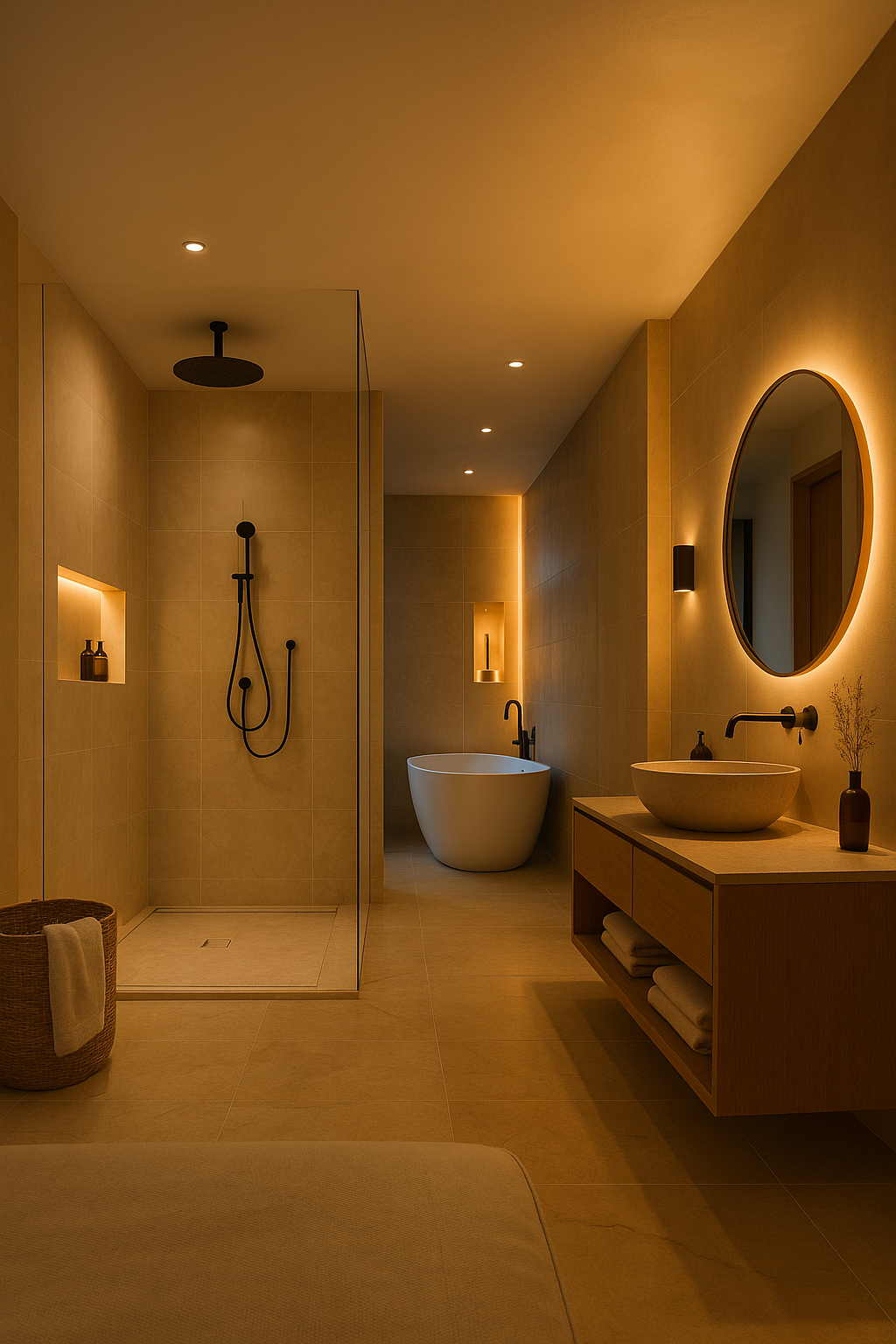
🛁 Day 6: A Routine That Doesn’t Drain You
By the sixth day, I caught myself thinking… I hadn’t done much with my hands, yet nearly everything was done. And not because I was lazy — but because the house thought ahead.
🚿 The evening shower was its own little ritual. In this home, the bathroom isn’t just a place to clean up — it’s a mini spa. As soon as I opened the door, the room’s temperature automatically rose by 2°C — part of the preset “evening comfort zone.” The lights dimmed to a soft glow, a hint of essential oil filled the air (thanks to a built-in aroma diffuser), and calm ambient music gently floated down from ceiling speakers. And the best part? It all activates automatically once the system detects someone entering the bathroom after 9 PM.
🧺 But what truly blew my mind was the small hidden window in the wall — a chute leading directly to the laundry room. I dropped in my shirt and towel, and down they slid to the floor below. Laundry doesn’t start on its own (yet 😄), but the idea of skipping the whole “carry-the-basket” routine already feels brilliant.
🌡 Before bed, I opened the app — but didn’t need to change a thing. The temperature had already begun to lower into night mode — a steady 20°C. Humidity? Controlled. Ambient sound? Set to white noise (you could choose from rainfall, wind, or even a crackling fireplace). All of this is part of the “Goodnight” scene, which triggers automatically if low activity is detected after 10 PM.
🛒 Oh — and earlier in the day, I went out to grab some groceries. The moment I locked the door, the house switched to security mode:
Checked all doors and windows
Activated the motion camera at the entrance
And sent me a message: “All secure. Doors locked. Security mode active.”
That gave me a deep sense of peace — especially knowing that my friend is often away for weeks. No need for guards or complex alarms — everything functions as a single, silent system.
🔄 By this point, I realized: here, the daily routine doesn’t wear you down — it organizes itself. And that leaves you with time and energy for what truly matters.
🔜 Tomorrow is my last day in this smart haven. And I already know what I’ll write about.
But first… let me walk barefoot once more across the warm parquet of this home, where every inch breathes care, technology — and just a little magic.
🔚 Day 7: Saying Goodbye to a Home That Thinks for You
My final day in the house was slow and intentional. By now, I didn’t even flinch when the lights turned on at the right moment or when my usual americano brewed itself without a word. But it wasn’t touristy anymore — I felt like a resident. Briefly, but genuinely.
After breakfast, I wandered through the rooms — not out of curiosity, but out of early nostalgia. I tidied up, turned off all my personalized routines in the app, and called my friend to hand over access. A minute later, a message flashed on the Nest Hub: “Guest access ended. Thank you for visiting!”
🔑 He joked:
— So, did you break anything?
— Nope. But now I want one just like it.
📌 Before I left, he shared a few final tips:
Plan ahead.
If you’re thinking of a smart home, start at the architecture phase. Think about:
niches for cables, routers, hubs (not shoved under the sink or in a closet),
outlet placement — smart devices still need them,
and a small tech cabinet, if you’re planning a lot of automation.
Don’t skimp on experts.
He worked with an interior designer who knew tech layouts, and an engineer for smart systems. Yes, it increased the project cost — but saved tons of stress and hours later.
Not everything needs to be expensive.
A lot of smart functions are just app-connected routines. You can grab multipacks of bulbs and plugs instead of investing in hardwired systems.
Security first.
If you travel often or plan to rent out your home, build layered security: motion sensors, cameras, door monitors, light timers. But most importantly — make sure it’s easy to control from an app.
📘 I saved those tips in my notes. Because someday, I’ll come back to them. And maybe next time, my post won’t start with “I stayed at a friend’s house,” but instead: “I just finished setting up my own.”
🎬 As the door automatically locked behind me, I turned around for one last glance.
And I thought:
This home wasn’t about gadgets. It was about feeling understood — even in silence.
📝 This week wasn’t just a test. It was an experience.
And I’m ready to share more — with a new series on smart routines, gadgets, budgets, and how to make not just your home smart… but your life too.
🧠 You don’t need to build from scratch to live smart.
Yes, this house was designed with tech in mind from blueprint to build.
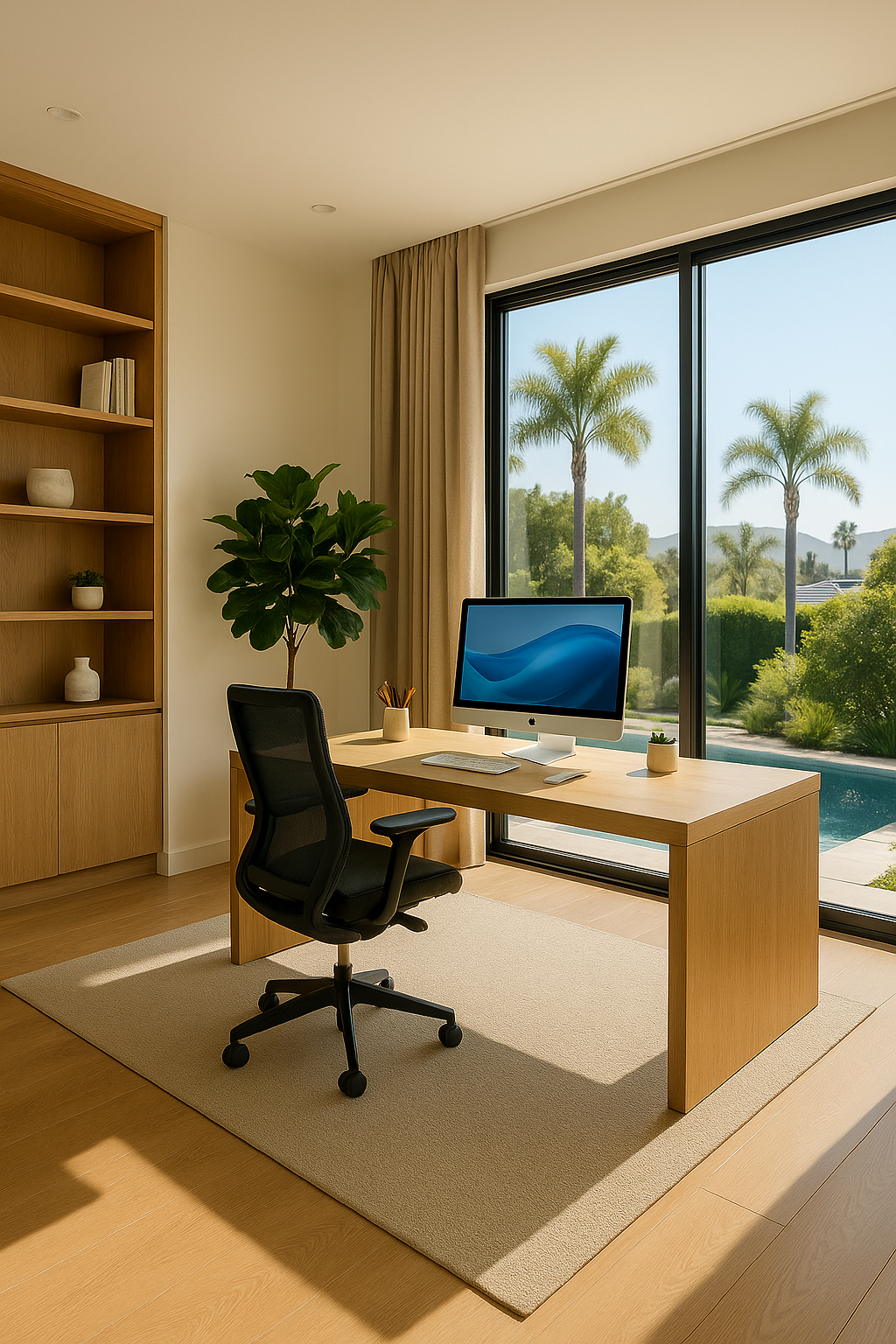
But truthfully, many of these features can be added to an existing apartment or house. Start small:
– Smart bulbs and outlets
– A video doorbell or entry cam
– Motion sensors and hallway lights
– A voice assistant or app-controlled thermostat
Soon, it evolves into a system that doesn’t just “follow commands” — it frees your time, lowers costs, and brings peace of mind.
💬 Now it’s your turn:
Have you already tried building or upgrading a smart home?
Or are you just planning your first steps?
👉 Share your experience in the comments — we’d love to compare notes, tips, and ideas.
📩 And to stay updated —
subscribe to our newsletter. We’ve got helpful how-tos, gadget roundups, real-world scenarios, and interviews with smart-home owners.
🔍 Don’t forget to check out our “What We Recommend” section — where we feature trusted devices that actually make life easier.
Thanks for joining me this week.
— See you in the next review 🙌
 English
  Ukrainian