
🔐Smart locks are no longer just a trendy feature for smart homes.
They’ve become a key element of modern home security — allowing you to control access from your smartphone, create digital keys for guests, monitor entry history, and even auto-lock the door when you leave. But with so many models on the market, which smart locks should you choose in 2025 to feel truly secure?
In this review, we compare three of the most frequently recommended models:
August Smart Lock, Yale Assure Lock, and Level Lock.
We’ll explore their features, pros, and cons — and help you figure out which one is best for an apartment, private home, or rental space.
This guide will help you answer:
Is it worth buying a smart locks in 2025?
Which brand offers the best mix of security, convenience, and design?
And what’s better: a keypad, smartphone, or auto-lock?
Ready? Let’s compare them honestly — and find out which smart locks truly earns your trust.
1. August Smart Lock: Minimalism, Intelligence, and Convenience Without the Hassle
The August Smart Locks is one of the most popular smart lock models in the world. Its biggest advantage is easy installation without replacing the existing lock or handle. It simply attaches to the inside of your door, preserving the external appearance of the lock and key — ideal for rentals or condos where modifying door hardware is restricted.
🔧 Installation & Integration
Installing the lock takes around 10–15 minutes, and even someone who’s never held a screwdriver can manage it. No drilling, no wiring. All you need to do is remove the inner side of your current lock and attach the August unit in its place. Everything you need is included in the box.
Once installed, the lock is configured via the August Home app (iOS / Android). From unboxing to full functionality — the process takes about 20 minutes.
📲 Smartphone Controls & Features
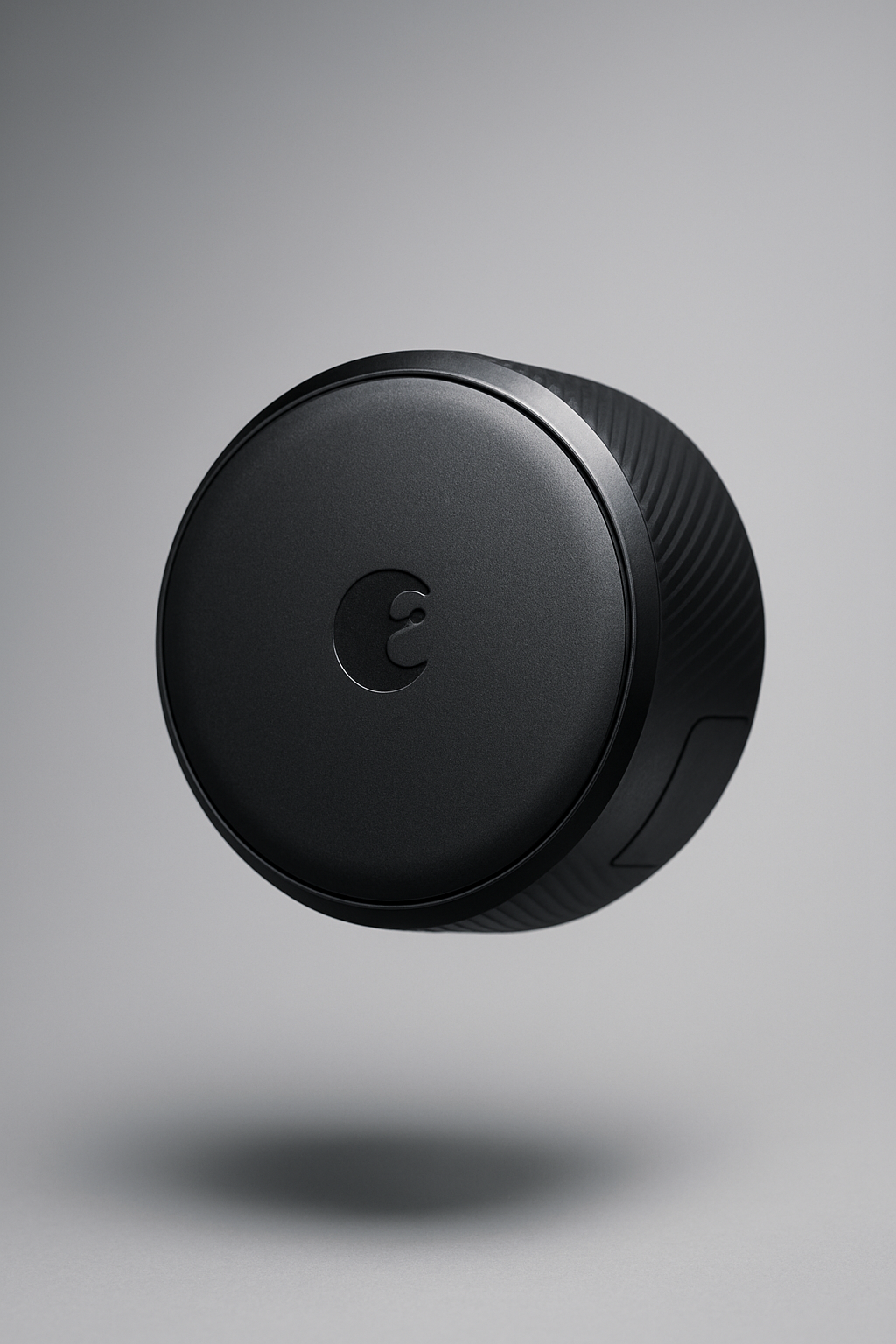
- Auto-lock & unlock: The door unlocks when you approach and locks when you leave.
- Virtual keys: Grant temporary or permanent access to friends, family, or delivery people (e.g., for one evening or a week).
Push notifications: See who entered and when, and track whether the door is locked or open.
Voice assistant integration: Works with Amazon Alexa, Google Assistant, Apple HomeKit. Just say “Siri, unlock the door” — and it listens.
Automation support: Set up routines — like auto-locking at 10 PM or triggering other smart devices when you leave home.
🔋Power & Battery Life
Runs on two standard CR123 batteries (depending on the model). One set lasts around 4–6 months, and the app notifies you in advance when it’s time to replace them. Bonus: these batteries are easy to find in any store.
🔐 Security & Encryption
August uses 256-bit AES encryption (like banking apps) and two-factor authentication. This means your access credentials can’t be easily intercepted over Bluetooth or Wi-Fi.
Every action is logged in an activity journal, and virtual keys can be revoked instantly. You can also manually lock or unlock the door remotely, even from thousands of kilometers away.
❌Things to Consider:
The lock does not have a built-in keypad — if your phone isn’t available or is dead, you’ll need the optional August Keypad sold separately.
It relies on Bluetooth or Wi-Fi (with the Wi-Fi Bridge) — occasional delays may occur if the signal is weak.
Because it’s an overlay-style lock, the door still appears “traditional” from the outside — meaning no one can tell you’re using a smart lock.
🛠August Smart Lock Specs
Feature | Details |
Installation Type | Overlay on existing deadbolt (no need to change the handle) |
Setup Time | 10–15 minutes |
Unlock Methods | Smartphone, auto-lock/unlock, virtual keys |
Platforms | iOS / Android |
Integrations | Apple HomeKit, Alexa, Google Assistant |
Keypad | ❌ (optional via August Keypad accessory) |
Power Source | 2× CR123 batteries (4–6 months lifespan) |
Connectivity | Bluetooth + Wi-Fi (via Bridge) |
Security | 256-bit encryption, two-factor authentication |
Ideal For | Apartments, rental homes, users who don’t want to replace the door hardware |
💡 Pros
Quick, tool-free installation
Auto-lock and unlock functionality
Ability to grant temporary guest access
Full access history tracking
Integrates with most major voice assistants
⚠️ Cons
No built-in keypad in the base version
Requires a stable Bluetooth or Wi-Fi connection
Looks like a regular lock from the outside (not obviously “smart”)
✅ Overall Verdict
August Smart Locks is the perfect solution for those who want a smart locks without the hassle of complex installation. It’s especially convenient for apartment dwellers, renters, or anyone looking to preserve the existing look of their door.
Its biggest strengths lie in its ease of use, mobile control, smart home integration, and flexible access management.
This is a lock for people who value minimalism, control, and freedom — without compromising on security.
2. Yale Assure Lock: Reliable Classic Meets Smart Tech
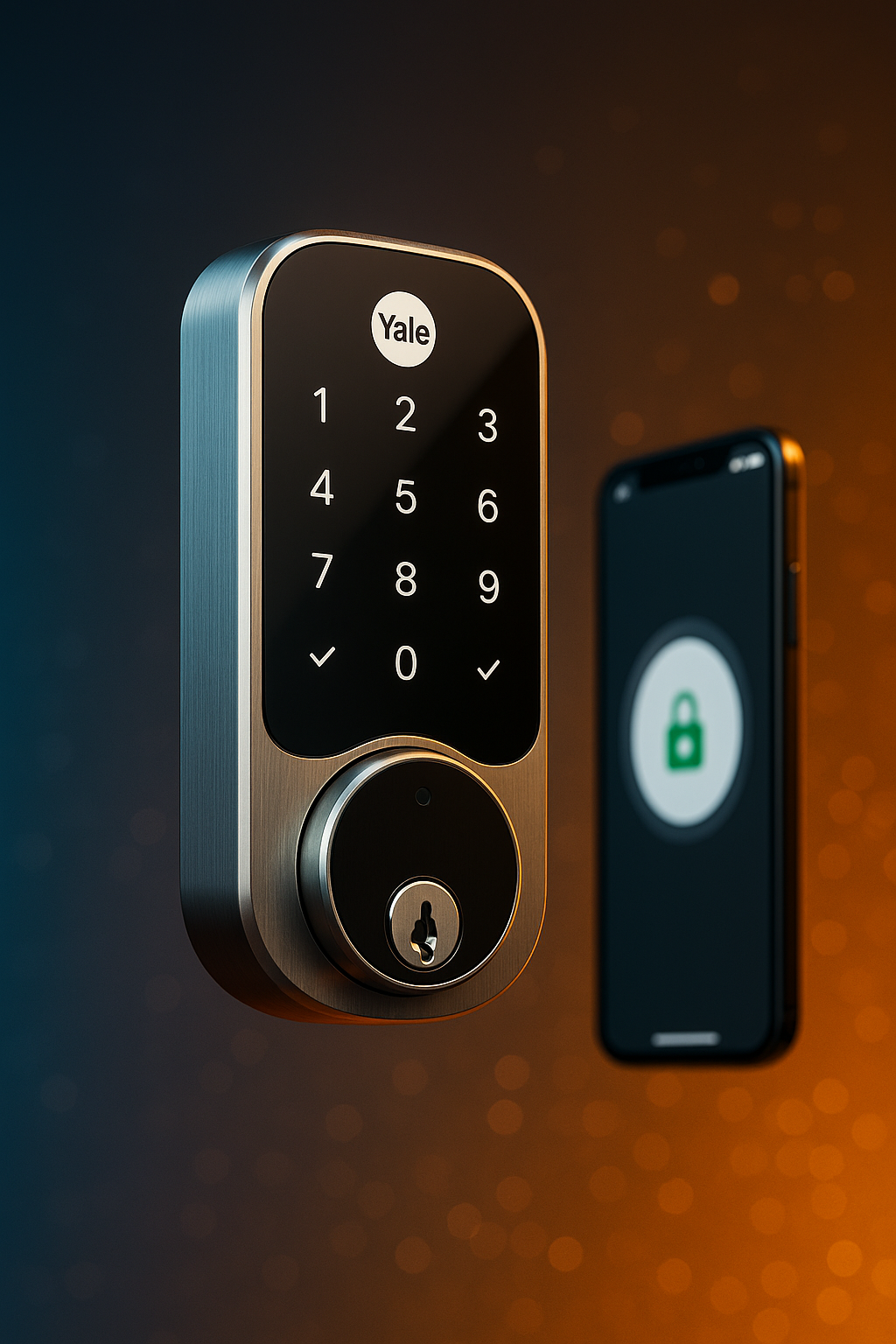
Yale Assure Lock is a smart locks that combines classic mechanical reliability with modern smart features. It completely replaces your standard cylinder lock, making it one of the most comprehensive home security upgrades available.
It’s a perfect choice for those who want to fully replace their old lock, gain access to a touchscreen keypad, smartphone control, and smart home integration — while still keeping a physical key option for backup.
⚙️ Installation & Setup
This lock replaces your existing deadbolt, which means you’ll need to remove the old cylinder and install the Yale Assure Lock into the door. The kit includes everything needed, though some doors may require minor adjustments (like drilling a standard hole).
Once installed, the smart locks easily connects to the Yale Access App, or to third-party platforms like HomeKit, Google Assistant, or Alexa — depending on the model. The interface is intuitive, and setup typically takes no more than 10–15 minutes.
🔐 Smart Features
- The touchscreen keypad allows up to 250 user codes, including temporary or guest-specific access.
Mobile control via Bluetooth or Wi-Fi (if paired with a compatible module or bridge).
A physical key option is available for emergencies or traditional use.
Auto-lock after a set time or upon exit.
Modular integration with Z-Wave, Zigbee, and Apple HomeKit.
Push notifications, activity log, remote lock/unlock functionality.
🧠 Smart Scenarios
Auto-lock activates when you leave the house.
Set unique codes for kids, cleaners, or guests with limited access.
Works in sync with cameras, lights, and voice assistants.
🛑 Cons to Consider:
Requires full lock replacement, unlike August’s overlay solution.
Not all models include the Wi-Fi module — it may need to be purchased separately.
The lock is bulkier than others, though still modern in appearance.
🛠 Yale Assure Smart Locks Specifications
Feature | Details |
Installation Type | Full lock replacement (not overlay) |
Setup Time | 20–30 minutes (may require tools) |
Unlock Methods | Smartphone, keypad code, physical key |
Platforms | iOS / Android |
Integrations | Apple HomeKit, Alexa, Google, SmartThings, Z-Wave, Zigbee |
Keypad | ✅ Touchscreen with backlight |
Power Source | 4× AA batteries (up to 6 months lifespan) |
Connectivity | Bluetooth, Wi-Fi (via Bridge), Z-Wave / Zigbee |
Security | 256-bit encryption, activity log, backup keys |
Ideal For | Private homes, families, smart home systems |
💡 Pros
Touchscreen keypad with individual user codes
Works without a smartphone (via PIN entry)
Supports multiple smart home platforms
Reliable mechanics with a durable metal body
Remote access control from anywhere
⚠️ Cons
Requires full removal of existing lock
Some features depend on optional modules
Bulkier design compared to minimal alternatives
✅ Overall Verdict
Yale Assure Lock is the ideal choice for those who want maximum control — from touchscreen access and backup key to mobile management and automation scenarios.
It’s a great fit for private homes and users looking to say goodbye to physical keys without sacrificing reliability.
3. Level Lock: Invisible Minimalism with Smart Power Inside
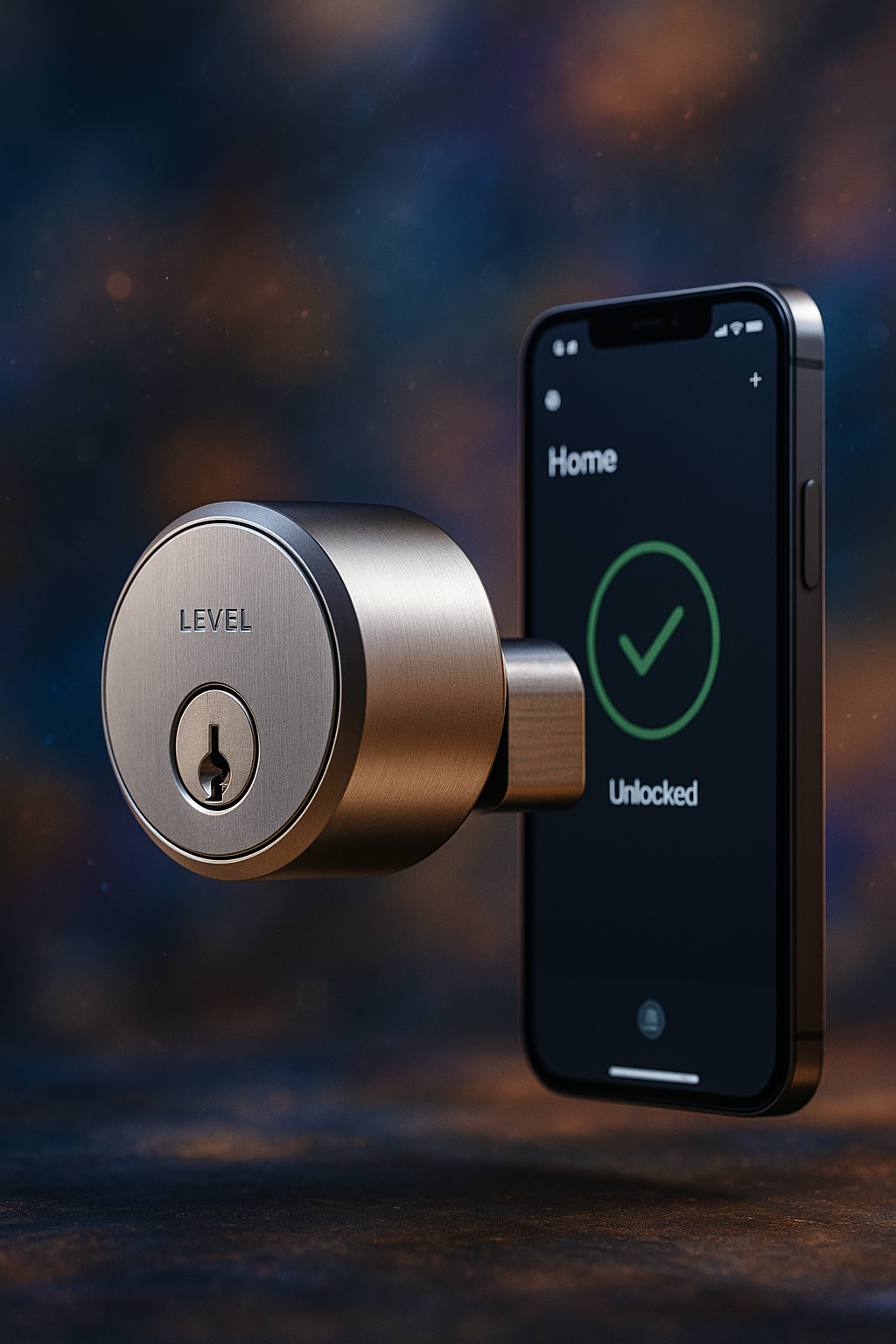
Level Lock is a unique smart locks that sets itself apart by being entirely hidden inside the door, maintaining a classic, traditional appearance from the outside. If you’re looking for smart functionality without the futuristic look, this is your go-to option.
Its main concept is to combine invisible integration, premium materials, and Apple-style design thinking. Installation is slightly more involved, but the result is sleek, understated — yet powerful.
🧩 Installation & Compatibility
Level Lock replaces the internal deadbolt mechanism, meaning it’s a full lock replacement — but without any smart elements showing on the outside.
From the exterior: just a standard key and handle.
Inside: Bluetooth module, sensors, motor, and battery.
It looks like a simple, polished metal cylinder. No blinking lights, no touchscreen pads. Everything is controlled via smartphone or the optional Level Keypad, sold separately.
📲 Features & Integrations
Full support for Apple HomeKit — unlock your door with Siri or Apple’s Home app
Auto-lock/unlock based on proximity detection
Create virtual keys for other users (friends, guests, family)
Works seamlessly with the Level App — showing history, alerts, and automation routines
Integrates with Ring, Amazon Sidewalk, and other Amazon services
🔋 Power & Battery
Level Lock runs on a single CR2 battery, hidden neatly inside the housing.
It delivers up to 6 months of battery life, and the system notifies you well in advance when it’s running low. Maintenance is straightforward and tool-free.
🎯 Who It’s For
Level Lock is the perfect solution for design-conscious users, architects, or those who want to preserve a traditional door look. It’s also a great match for people fully invested in the Apple ecosystem.
This lock doesn’t advertise its “smartness” — it simply works quietly, confidently, and beautifully.
⚠️ Things to Keep in Mind:
The keypad must be purchased separately if you want code-based access
Mostly Apple-focused — Android users may have a limited experience
Higher price point, especially when adding accessories
Requires precise installation, and may not fit all doors out-of-the-box
🛠Level Lock Specifications table
Feature | Details |
Installation Type | Built into the door (invisible from the outside) |
Setup Time | 30–45 minutes (requires precision) |
Unlock Methods | Smartphone (Bluetooth), physical key, code (via Level Keypad) |
Platforms | iOS (full support), Android (partial support) |
Integrations | Apple HomeKit, Ring, Amazon Sidewalk |
Keypad | ❌ (optional: Level Keypad) |
Power Source | 1× CR2 battery (up to 6 months of battery life) |
Connectivity | Bluetooth (no Wi-Fi) |
Security | AES encryption, key access, smartphone access |
Ideal For | Apartments and homes where exterior aesthetics matter |
💡 Pros
Minimalist design, completely hidden inside the door
Siri support and HomeKit automation scenarios
Ability to share virtual keys with others
Durable mechanics and premium materials
Low-profile appearance — looks like a regular lock
⚠️ Cons
Requires precise installation (may not fit all doors)
No Wi-Fi (remote access requires a Home Hub)
Limited Android support
Keypad access available only via a separate accessory
✅ Overall Verdict
Level Lock is one of the most elegant and thoughtfully engineered smart locks on the market. It’s not aimed at the mass consumer crowd, but rather at those who seek innovation without compromising on aesthetics. It’s a perfect solution for Apple ecosystem users, design-oriented spaces, or simply people who don’t want their smart locks to look smart.
Despite the higher price and optional accessories, Level Lock impresses with its build quality, smooth performance, intuitive app, and deep HomeKit integration.
It’s a smart locks for people who want technology without the showiness.
Reliability, design, and silence — in that order.
✅ Which Smart Locks Is Right for You?
All three — August, Yale, and Level Lock — are reliable, smart, and feature-rich. But each one caters to a different kind of user, with its own strengths, setup style, and ideal scenarios. Here’s a quick breakdown:
🔹 August Smart Lock
Best for those who want maximum convenience with zero hardware changes. Perfect for apartment dwellers or renters where replacing the lock isn’t allowed. Installation takes just 10 minutes, and you get full smartphone control right away. Minimalism, mobility, and smart integration are its key advantages.
🔹 Yale Assure Lock
If you’re looking for a robust smart lock with a touchscreen keypad that fully replaces your old lock — this is your pick. Ideal for homeowners and families who want multiple access options: PIN codes, physical keys, and smartphone access. Plus, it’s one of the best when it comes to smart home platform compatibility.
🔹 Level Lock
Designed for those who don’t want their lock to look smart. If you value subtlety, elegant design, and deep Apple integration — Level Lock is the one. It operates “under the hood,” keeping your door looking traditional.
Just keep in mind: for full functionality, you may need to buy additional accessories (like the keypad).
📊 Comparison Table: August vs Yale vs Level Lock
Parameter | August | Yale | Level Lock |
Smart Locks Type | Overlay (on existing deadbolt) | Full replacement | Built-in (invisible from the outside) |
Mechanical Key | ❌ (optional) | ✅ | ✅ |
Smartphone Access | ✅ | ✅ | ✅ |
Touch Keypad | ❌ (sold separately) | ✅ | ❌ (sold separately) |
Integrations | Alexa, Google, Apple | Alexa, Google, Apple | Apple, Ring |
Power Source | 2× CR123 batteries | 4× AA batteries | 1× CR2 battery |
Platform Support | iOS / Android | iOS / Android | iOS (full), Android (limited) |
Wi-Fi Support | Via Bridge | Available in select models | ❌ (Bluetooth only) |
Auto-Lock | ✅ | ✅ | ✅ |
Virtual Keys | ✅ | ✅ | ✅ |
Optional Accessories | Keypad (optional) | Bridge / modules (some models) | Keypad (optional) |
Hardware Reliability | ⭐⭐⭐ | ⭐⭐⭐⭐ | ⭐⭐⭐⭐ |
🧭 So, Which Smart Locks Should You Choose in 2025?
🔑 For simplicity and quick setup — go with August
🛡 For maximum versatility and control — choose Yale
🧲 For hidden design and deep Apple ecosystem integration — pick Level Lock
All three options are a smart investment in the safety, comfort, and future of your home.
✅ Final Thoughts
Choosing the right smart locks can feel overwhelming — but whether you’re after effortless setup, total control, or invisible elegance, there’s a solution that fits your lifestyle. August, Yale, and Level Lock all offer unique strengths and set a high standard for what modern home security can be in 2025.
👉 Want to check current prices, bundles, or availability?
We’ve included direct links below to trusted retailers — including Amazon and official stores (smart locks) — so you can compare and find the best option for your home:
💌 Stay Connected
If you found this comparison helpful, consider subscribing to our updates or bookmarking the site. We regularly publish:
📊 Side-by-side comparisons to help you choose wisely
💡 Tips for setting up and getting the most out of your tech
🔐 Security-focused guides for modern living
👉 Join our smart home community — and never miss a new release or real-world recommendation.
 Ukrainian
  English