
Let’s be honest: home security isn’t something you think about every day. Until — there’s a strange sound at night, a shadow at the door, or you suddenly remember you forgot to lock up. That’s when it matters — and not just any alarm system, but one that’s smart, reliable, and easy to control from anywhere.
In 2025, smart security is no longer a grey box on the wall. It’s a connected network of intelligent devices that see, hear, react, and notify you — whether you’re at the airport or in the shower. Cameras that know the difference between a person and a cat. Sensors that don’t just detect motion but send instant alerts to your phone, complete with a live feed. A system that doesn’t just scream — it genuinely helps you feel safe.
📦 Here’s a quick list of systems we’ve personally tested — and can honestly recommend:
Google Nest Protect — more than a smoke detector. It talks to you and knows when something’s off.
EufyCam 3 — a fully autonomous camera with facial recognition and cloud storage with no subscriptions.
Ring Alarm Pro — combines security with Wi-Fi, Alexa, and LTE backup in one smart package.
Aqara Motion & Door Sensors — affordable, reliable, and HomeKit-compatible for Apple users.
Wyze Cam Floodlight — combines lighting, a camera, and AI motion detection — all in one device.
And now, let’s take a closer look at one of the most impressive options — a system that truly surprised us with its balance of design, functionality, and plain old common sense.

Most smoke detectors are like jumpy toddlers — they squeal loudly, but never tell you what happened. Nest Protect changes the game. It calmly says: “There’s smoke in the living room. Just a little.” In a human voice. Through the app. And it even glows softly in the dark — like a smart nightlight that watches over you.
👉 What makes it smart:
It distinguishes between smoke and carbon monoxide — and alerts you specifically.
Sends real-time notifications to your phone, no matter where you are.
Has a built-in nightlight that activates when it detects movement.
Self-tests automatically — no need to remember the monthly “press and hold” drill.
Sure, it’s not the cheapest device on the shelf. But it’s the kind of thing you buy once — and trust for years. And when something goes wrong, you’ll know before it becomes a problem — not after it’s too late.
📌 Up next: a system that turns home security into a masterclass in simplicity. But first — have you ever used a smart home security device? If so, which one impressed you the most?

Security cameras are great — until they hit you with the classic “$5.99/month to view your own footage.” It makes you want to point a camera right back at the company charging you. That’s why EufyCam 3 feels like a breath of fresh air in the crowded world of subscriptions.
🔋 What makes EufyCam 3 stand out?
First and foremost — no monthly fees. All video storage, facial recognition, and smart features run locally, either on the camera itself or its home base. Your footage stays with you — not in someone else’s cloud.
The camera runs completely wire-free, thanks to a built-in solar panel that keeps it charged indefinitely. And with crisp 4K Ultra HD resolution, you’ll catch even the license plate of a car down the street.
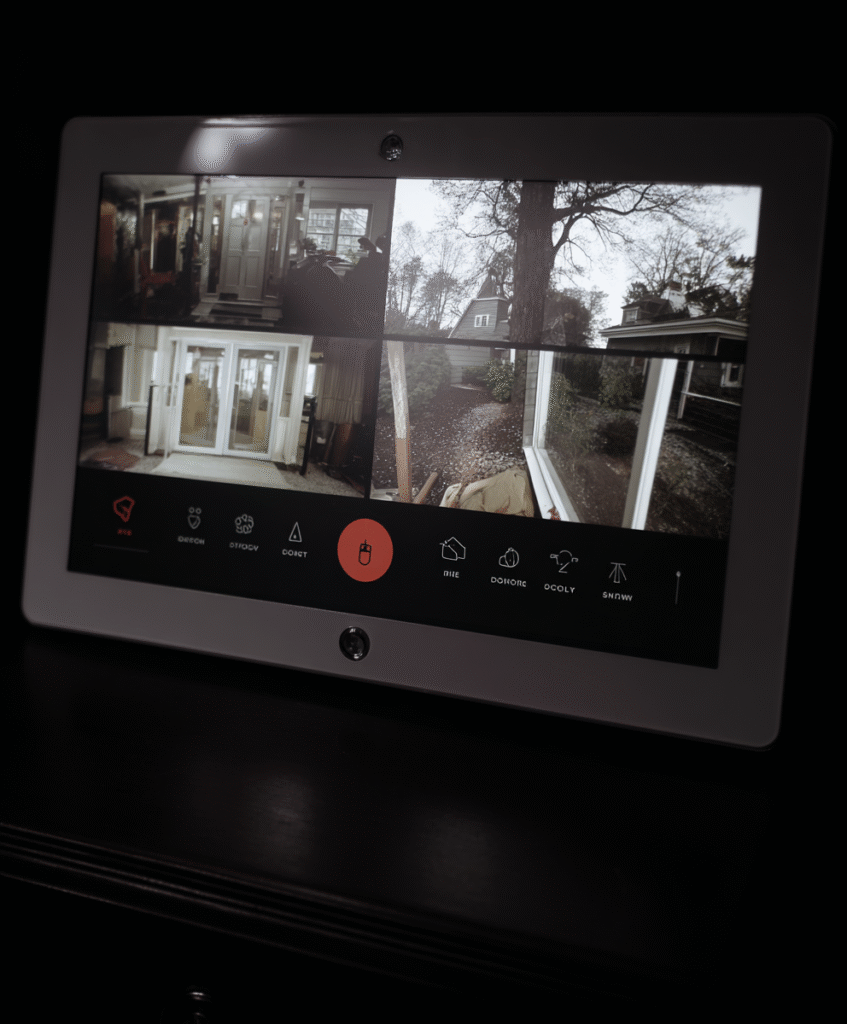
🤖 Other things this smart beauty can do:
AI Facial Recognition: Tells you if that’s a friend or a stranger approaching.
Smart Zones: Only monitor what matters — like your front door, not the neighbor’s cat.
Built-in siren and microphone: See, speak, and even scare — all from your phone.
Full-color night vision: Because the “black-and-white ghost” look is outdated.
😎 What pleasantly surprised us:
Super easy to install — no drilling, no wires, no headaches.
Set it and forget it mode really works — especially with the solar charging.
The app is clean and intuitive — no clutter, just control.
⚠️ What to keep in mind:
Price — not exactly cheap, but it’s not “expensive just for the brand” either. You’re paying for real value.
AI occasionally mixes up your mother-in-law with the delivery guy — rare, but it happens.
Video files are hefty, so keep an eye on your local storage.
📦 Who is EufyCam 3 for?
For anyone tired of paying monthly to watch their own driveway.
For families who value privacy and don’t trust big cloud platforms.
For people who want a smart setup that just works — with no babysitting required.
📌 Coming up next? We can dive into more affordable but still reliable options — or explore something even more powerful, like Ring Alarm Pro. Your call — we’re here for it.

Most security systems just beep. Ring Alarm Pro? It replaces your security system, router, backup internet, and even your smart assistant — all in one box. It sounds like the future, but it’s here today.
📶 So, what exactly is it?
Ring Alarm Pro is a hybrid security system and network hub, combining smart home protection, Wi-Fi, automation, and cellular backup in case your power or internet cuts out (which, let’s face it, always happens at the worst possible moment).
🔧 What’s in the box?
A base station with built-in eero Wi-Fi 6 — yep, it’s also a premium router.
Motion and entry sensors — standard, but rock solid.
Siren, backup battery, and LTE modem — your system stays online, even if your provider doesn’t.
Alexa integration — for voice commands, routines, and full home control.
💥 What we loved:
All-in-one setup — ditch the clutter, one system handles Wi-Fi, alarms, and more.
Expandable ecosystem — add cameras, smart plugs, doorbells, whatever you need.
Intuitive app control — with handy modes like Home, Away, or Vacation.
Pro subscription unlocks deeper features — cloud storage, event logs, professional monitoring.
😬 But a few trade-offs:
Subscription is almost a must — without it, some key features stay locked.
Already have a Wi-Fi system? Swapping it for eero may be a tough call.
Alexa-centric — if you’re in the Google Home camp, integrations are limited.
⚡️ Who’s this for?
Tech enthusiasts who want a command center in a box.
Homes with unreliable internet — LTE backup can save your security feed.
Frequent travelers — remote control and alerts mean peace of mind, anywhere.
📌 Our Verdict:
Ring Alarm Pro isn’t just an alarm — it’s your home’s mission control. But to unlock its full superpowers, you’ll need the subscription plan. If that’s fine with you, this is hands-down one of the smartest home security investments you can make.

In a world full of high-tech cameras and advanced AI, sometimes the best security is a little sensor that just works when you need it. Enter the Aqara Motion Sensor and Door/Window Sensor — small, affordable, and compatible with Apple HomeKit, Google Home, and Alexa.
📦 What are they?
These are tiny, discreet devices that sit quietly in the background — until they save the day. One alerts you if a door or window is opened. The other detects motion in a room.
Simple idea. Surprisingly smart execution.
🌟 Why they’re awesome:
Ridiculously easy to install — stick them on, pair them, done.
Battery-powered with over 2 years of life — no wires. At all.
Works with most ecosystems — HomeKit, Alexa, Google Home, SmartThings.
Price tag? Just $15–$25. That’s not a gadget, that’s a gift.
🏡 How we used them:
Got alerts when doors opened while the kids were home alone.
Triggered lights to turn on when entering a room.
Used a custom condition: “If window is open, turn off AC.”
💡 A few things to know:
You’ll need an Aqara Hub or another Zigbee-compatible device to connect them.
Some minor 1–2 second delays can happen, depending on your network.
Not for Fort Knox. But for everyday home safety? More than enough.
📌 Bottom Line:
If you’re just getting started with a smart home, Aqara sensors are like the LEGO bricks of automation — simple, versatile, and surprisingly powerful. They don’t just protect; they help your home think smarter, with no coding, no subscriptions, and no stress.
Picture this: It’s night. The yard is still. Then — someone appears. A regular floodlight would just switch on. But the Wyze Floodlight Cam doesn’t just shine — it sees, records, and thinks before sounding the alarm.
🧠 What is this gadget?
It’s a smart combo: dual ultra-bright LED floodlights, a built-in Full HD camera with color night vision, and AI motion detection that knows the difference between a person, a car, an animal… or just the wind.
🔍 Why it impressed us:
AI-powered motion detection — no more false alarms from cats or fluttering bushes.
2600 lumens of brightness — like a concert spotlight in your yard.
Color night vision — yes, even in low light, you’ll clearly see who’s at your door.
Works with Alexa and Google Assistant — easy smart home integration.
⚠️ What to keep in mind:
Full access to AI features requires a Wyze Cam Plus subscription ($2/month), though basic features are free.
It needs wired power — not exactly plug-and-play.
Occasional notification delays, but nothing deal-breaking.
🏡 We tested it on:
Front porch of a suburban home — reliable motion response, lighting, and clear recordings.
Dark backyard — it now lights up the space and spots even squirrels on the fence.
📌 Bottom Line:
Wyze Cam Floodlight isn’t just a light with a camera — it’s a floodlight, security guard, and smart AI eye all in one. If you’re looking for light + surveillance + intelligence without breaking the bank (usually under $100), this one punches way above its weight.

🔒 Smart Security Isn’t the Future — It’s the Present.
We test systems that actually work — no fluff, no false promises. If you want a home that’s not just cozy but truly secure, stick with us:
🔸 Subscribe to the site
🔸 Read our fresh reviews
🔸 And don’t be shy — drop a comment.
We welcome your experiences, tips, and even your healthy skepticism.
🛠 Got a smart gadget you think we should test? Tell us!
Because building a smart home doesn’t start with buying things — it starts with making smart choices.
See you in the next review — and may your home be as smart as it is stylish. 🏠✨
 Ukrainian
  English